

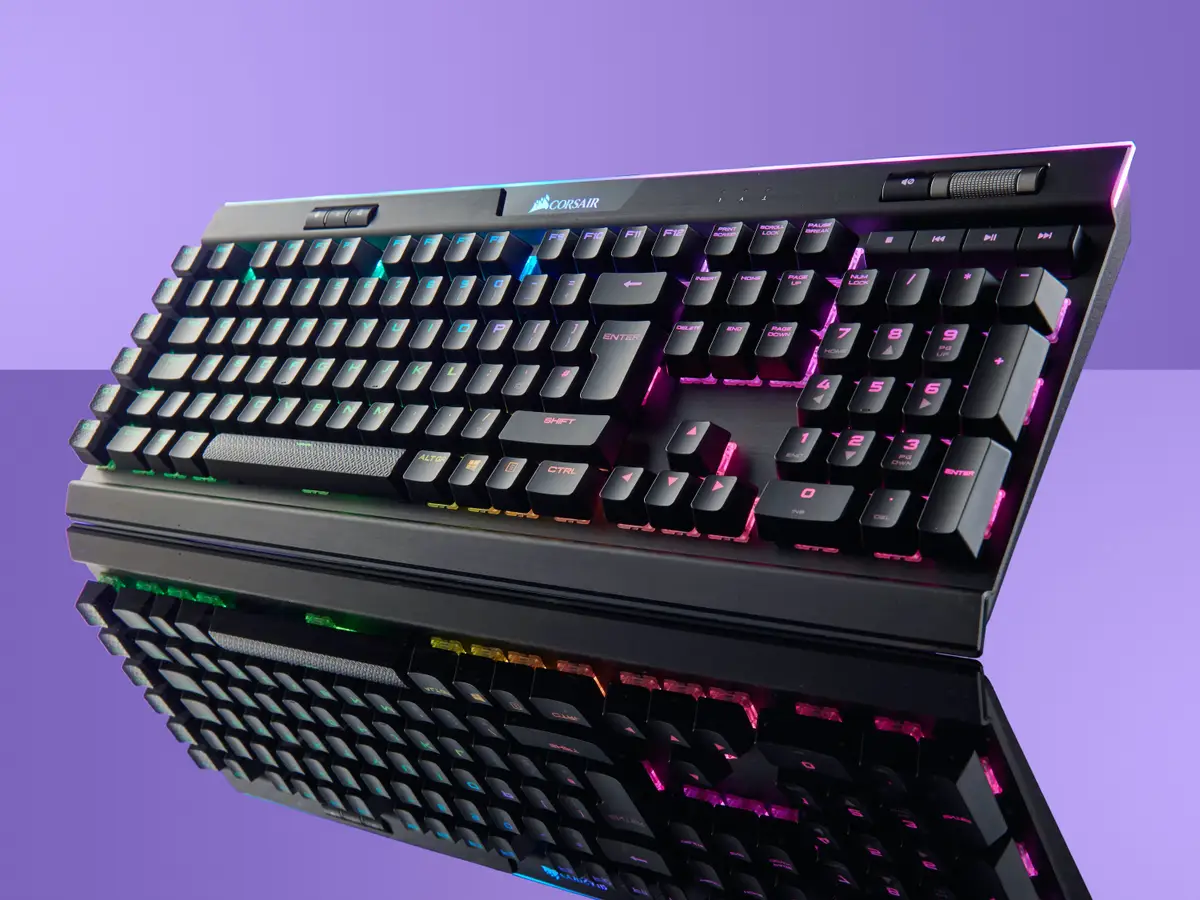
Mechanical keyboards offer greater choice. Buyers can select the key feel, sound, size, connection method, keycap material, lighting, and level of customization. That freedom is valuable, but it also makes the category confusing.
You do not need to become a keyboard enthusiast to make a sensible purchase. Understanding a few important terms will help you choose a model that fits your work, gaming, and typing preferences.
Recommended Mechanical Keyboards at a Glance
| Keyboard | Layout | Connection | Recommended For |
|---|---|---|---|
| Keychron C3 Pro | Tenkeyless | Wired | Affordable mechanical typing |
| Logitech MX Mechanical | Full-size or compact | Bluetooth, receiver, or USB-C charging | Office productivity and multiple devices |
| Razer BlackWidow V4 75% | 75% | Wired | Gaming and switch customization |
| Keychron Q1 HE | 75% | 2.4GHz, Bluetooth, or wired | Adjustable magnetic-switch performance |
What Makes a Keyboard Mechanical?
A mechanical keyboard places an individual switch beneath each key. Pressing a key activates the switch, which sends the input to the computer.
Many inexpensive keyboards use a rubber-dome or membrane design. These can be perfectly adequate, but they generally provide fewer choices in key feel and customization.
Mechanical switches are available with different operating forces, travel distances, sounds, and feedback. Some activate quickly with little resistance, while others provide a noticeable bump or audible click.
A mechanical keyboard is not automatically comfortable, quiet, or better for typing. The benefit is choice. You can select a configuration that more closely matches your preferences.
The Three Main Mechanical Switch Types
Linear switches
Linear switches move smoothly from the beginning of the keypress to the bottom without a deliberate tactile bump. Many gamers prefer them because the movement feels consistent and keys can be pressed repeatedly without passing through a strong feedback point.
They can also work well for typing, particularly for people who prefer a light, smooth switch. However, users accustomed to tactile feedback may press them accidentally or bottom out each keystroke.
Recommended for: Gaming, fast repeated inputs, and users wanting a smooth keypress.
Tactile switches
Tactile switches provide a small bump around the point where the key registers. This feedback lets the typist feel that an input has been recorded without necessarily pressing the key to the bottom.
They are a popular middle ground for office work, writing, programming, and occasional gaming. Tactile switches are not always quiet, but they generally lack the deliberate click mechanism found in clicky switches.
Recommended for: Writing, programming, office work, and mixed use.
Clicky switches
Clicky switches combine tactile feedback with an audible click. Some people find the sound satisfying and appreciate the clear indication that a key has activated.
The disadvantage is obvious: they can be distracting in shared offices, libraries, bedrooms, video meetings, and late-night gaming sessions.
Recommended for: Private workspaces and users who specifically enjoy loud feedback.
Keyboard Size and Layout Explained
Full-size keyboards
A full-size keyboard includes the function row, arrow keys, navigation cluster, and numeric keypad. It is useful for accounting, data entry, spreadsheets, and work involving frequent numerical input.
The additional width pushes the mouse farther to the side, which some users find uncomfortable during long sessions.
Tenkeyless keyboards
A tenkeyless—or TKL—keyboard removes the numeric keypad while retaining the function row, arrow keys, and navigation buttons. It provides a familiar layout while creating more space for the mouse.
75% keyboards
A 75% keyboard keeps the function row and arrow keys but places them into a more compact arrangement. This is one of the strongest layout choices for users who want to save desk space without losing too many familiar controls.
65% and 60% keyboards
A 65% layout typically retains arrow keys but removes the dedicated function row. A 60% keyboard removes even more keys and places missing commands behind function layers.
These compact layouts are easy to transport and leave generous mouse space, but they require more key combinations. They are not ideal for everyone.
Recommended Mechanical Keyboards
Keychron C3 Pro: An Affordable Starting Point
The Keychron C3 Pro is a wired tenkeyless keyboard designed to provide useful customization without a premium price.
It supports QMK and VIA, allowing users to remap keys and create macros. Its 1,000Hz polling rate is sufficient for general computing and gaming, while the TKL layout retains dedicated arrow and function keys.
Because several versions may be available, check the exact switch, lighting, keycap, and hot-swap specifications before ordering. Features can differ between regional and retailer-specific configurations.
Recommended for: First-time mechanical-keyboard buyers, students, writers, and users wanting an affordable wired model.
Logitech MX Mechanical: Designed for Office Productivity
The Logitech MX Mechanical uses low-profile switches and is available with tactile quiet, linear, or clicky options.
Its Easy-Switch controls allow it to connect with up to three devices and move between them. This is useful for someone working across a desktop computer, laptop, and tablet.
Proximity sensors illuminate the keys when the user’s hands approach, and the backlighting can adjust according to surrounding conditions. The keyboard is available as a full-size model with a numeric keypad or as the smaller MX Mechanical Mini.
The low-profile design requires less wrist elevation than many tall traditional mechanical keyboards. However, it offers less switch and keycap customization than an enthusiast-oriented model.
Recommended for: Professionals who value multi-device connectivity, a restrained appearance, and relatively quiet mechanical switches.
Razer BlackWidow V4 75%: For Gaming and Customization
The Razer BlackWidow V4 75% combines a compact layout with hot-swappable mechanical switches.
Its sockets support compatible three- and five-pin mechanical switches, allowing users to change the typing feel without soldering. The keyboard also includes per-key RGB lighting, side underglow, a multifunction roller, media controls, and a magnetic wrist rest.
Razer supports polling rates of up to 8,000Hz. That specification may interest competitive players, although most users are unlikely to notice a dramatic difference over a well-implemented 1,000Hz keyboard.
The keyboard is wired, so buyers prioritizing wireless freedom should consider the Pro version or a different model.
Recommended for: PC gamers who want RGB lighting, replaceable switches, media controls, and a compact 75% layout.
Keychron Q1 HE: Adjustable Magnetic Switches
The Keychron Q1 HE uses magnetic Hall-effect switches rather than conventional metal-contact mechanical switches.
Its actuation point can be adjusted between 0.2mm and 3.8mm in 0.1mm increments. A shallow setting can provide rapid response for gaming, while a deeper actuation point can reduce accidental keypresses during typing.
Rapid Trigger functionality can reset a key according to its movement rather than requiring it to return to a fixed reset point. This can benefit games involving repeated directional inputs.
The Q1 HE supports 2.4GHz wireless, Bluetooth, and wired connections. It also provides a substantial aluminum construction and a compact 75% layout.
Recommended for: Enthusiasts and competitive gamers who will actively use adjustable actuation and magnetic-switch features.
Important: Hall-effect keyboards require compatible magnetic switches. Standard mechanical switches cannot automatically be installed simply because another version of the keyboard is hot-swappable.
What Does Hot-Swappable Mean?
A hot-swappable keyboard allows switches to be removed and replaced without soldering. This makes it easier to repair a faulty switch, experiment with different switch types, or customize particular keys.
Compatibility still matters. Some boards support both three-pin and five-pin mechanical switches, while others accept only a specific design. Optical and magnetic switches generally cannot be substituted for conventional mechanical switches.
If customization is important, check the exact switch socket before buying. “Hot-swappable” does not mean compatible with every switch on the market.
Wired, Bluetooth, or 2.4GHz Wireless?
Wired
A wired connection avoids battery management and usually provides consistent performance. It is suitable for permanent desks and gaming setups.
Bluetooth
Bluetooth is convenient for laptops, tablets, and multiple-device switching. It does not require a USB receiver, but latency and wake-up behavior can vary.
2.4GHz wireless
A dedicated 2.4GHz receiver generally provides lower latency than Bluetooth, making it preferable for wireless gaming. The disadvantage is that the small receiver occupies a USB port and can be lost.
A tri-mode keyboard offering wired, Bluetooth, and 2.4GHz connections provides the greatest flexibility.
Keycaps and Materials
ABS and PBT are the two most common keycap plastics. ABS keycaps can develop a smooth, shiny surface after extended use. PBT is generally more resistant to shine and often has a textured feel.
Keycap quality also depends on thickness, legends, and manufacturing method. Double-shot legends are formed from separate pieces of plastic and are less likely to wear away than inexpensive printed characters.
Before purchasing replacement keycaps, check the keyboard’s switch stem, layout, spacebar size, stabilizers, and whether the switches face north or south. Not every keycap set fits every keyboard.
Sound and Build Quality
The switch is only one part of a keyboard’s sound. Keycaps, case material, mounting style, stabilizers, internal foam, desk surface, and typing force all influence what you hear.
A heavy aluminum keyboard may feel substantial but will be less convenient to carry. A plastic case can be lighter and less expensive without necessarily producing a poor typing experience.
If noise matters, choose quieter switches, avoid clicky designs, use a desk mat, and consider a keyboard with internal sound-dampening material.
Software and Key Remapping
Manufacturer software may control lighting, macros, profiles, and media functions. Proprietary applications can be convenient but may need to run in the background.
QMK and VIA are popular with keyboard enthusiasts because they support extensive key remapping and programmable layers. Some configurations can be stored directly on the keyboard, reducing dependence on continually running software.
Business users should confirm whether workplace computers allow the required application to be installed.
Frequently Asked Questions
Are mechanical keyboards better for typing?
They offer more choices in feel, layout, and feedback, but preference remains personal. A comfortable membrane keyboard can be better than a poorly chosen mechanical model.
What switch is quietest for an office?
Silent linear or silent tactile switches are generally appropriate. Ordinary linear switches may still be noisy when pressed fully to the bottom.
Do mechanical keyboards improve gaming performance?
A responsive keyboard can improve consistency and comfort. However, skill, network latency, display performance, and mouse control usually matter more than extremely high polling rates.
Do I need a wrist rest?
Tall keyboards may feel more comfortable with a properly positioned wrist or palm rest. Avoid keeping the wrists sharply bent upward while typing.
Final Recommendation
The Keychron C3 Pro is an accessible starting point for buyers who want a wired mechanical keyboard without overspending. The Logitech MX Mechanical is better suited to office productivity and switching between several devices.
Choose the Razer BlackWidow V4 75% if you want gaming features and conventional hot-swappable switches. The Keychron Q1 HE is the more specialized option for users who want magnetic switches and adjustable actuation.
Switch type matters, but layout should be your first decision. A keyboard that removes keys you use every day will remain frustrating no matter how satisfying its switches sound.