

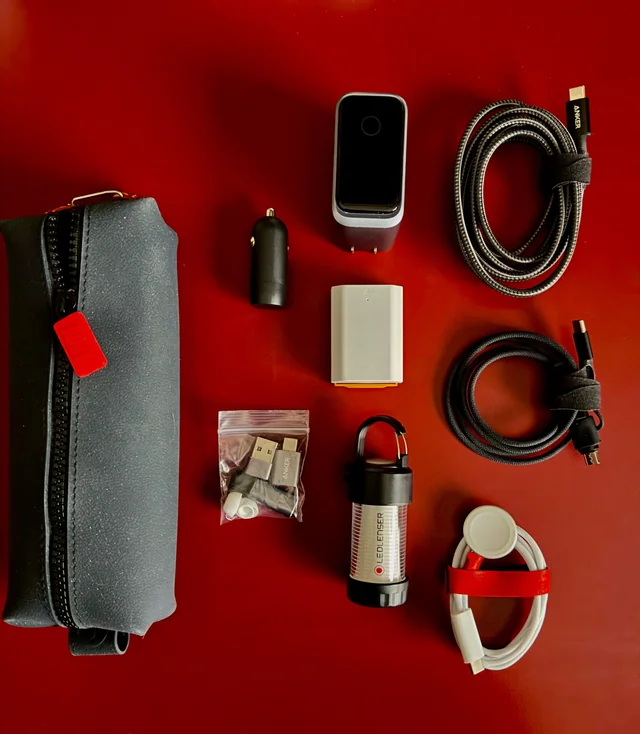
A good gallium nitride—or GaN—charger can replace several of those adapters. GaN technology allows manufacturers to build compact chargers capable of delivering enough power for smartphones, tablets, laptops, headphones, cameras, and other USB-powered electronics.
However, buying the highest-wattage charger is not always necessary. Port selection, charging protocols, cable quality, and power distribution matter just as much as the number printed on the product.
Recommended GaN Chargers at a Glance
| Charger | Total Output | Ports | Recommended For |
|---|---|---|---|
| UGREEN Nexode Air 65W | Up to 65W | USB-C | Phones, tablets, and lightweight laptops |
| Anker Prime 100W GaN Charger | Up to 100W | 2 USB-C, 1 USB-A | Everyday multi-device charging |
| UGREEN Nexode 100W Charger | Up to 100W | 3 USB-C, 1 USB-A | Users carrying several USB devices |
| Satechi 145W Travel Charger | Up to 145W | 4 USB-C | International travel and high-powered laptops |
What Is a GaN Charger?
Most traditional chargers use silicon-based components to control and convert electrical power. GaN chargers use components made with gallium nitride, a semiconductor material that can operate efficiently at higher voltages and frequencies.
For the buyer, the engineering translates into a simple benefit: manufacturers can deliver more charging power from a smaller adapter.
A GaN charger is not automatically faster simply because it uses gallium nitride. Charging speed still depends on the charger’s output, the connected device, the cable, and the charging protocol supported by all three.
Why GaN Chargers Are Worth Considering
Smaller size
A GaN adapter capable of charging a laptop can be noticeably smaller than the power brick supplied with the computer. The difference becomes more valuable when traveling with limited luggage space.
Multiple devices from one outlet
Multiport models can charge a laptop, smartphone, smartwatch, and headphones from one electrical outlet. This is particularly useful in airports, hotels, conference rooms, and older homes where outlets may be limited.
Less cable and charger clutter
One carefully selected charger can remain on a desk or travel in a technology organizer instead of maintaining several nearly identical adapters.
Broad device compatibility
USB Power Delivery allows compatible chargers and devices to negotiate an appropriate power level. A 100W charger does not continuously force 100 watts into a smartphone. The phone requests the amount of power it supports.
How Much Wattage Do You Need?
Wattage describes the maximum amount of power a charger can deliver. A charger can safely have a higher maximum output than the device requires, provided it follows compatible charging standards.
20W to 30W: Primarily for smartphones
This range is suitable for many phones, earbuds, smartwatches, and smaller accessories. It may also charge some tablets, although not always at their fastest supported rate.
45W to 65W: Phones, tablets, and ultraportable laptops
A 65W charger is a practical option for someone carrying a modern USB-C laptop, smartphone, and a few accessories. Many thin-and-light laptops can operate comfortably within this range.
The UGREEN Nexode Air 65W combines a foldable plug with a compact GaN design. It is a sensible choice for users who generally charge one major device at a time.
100W: A versatile multi-device option
A 100W charger provides more flexibility for larger laptops and simultaneous charging. This range is often the practical middle ground for professionals carrying a laptop, tablet, phone, and accessories.
Remember that “100W” usually refers to either the charger’s total output or the maximum available from one port. Connecting several devices may divide the available power between them.
140W and above: High-powered laptops and several devices
Chargers in this category are suitable for high-performance laptops, demanding mobile workstations, or users who want to charge several devices at meaningful speeds from one adapter.
To receive more than 100W over USB-C, both the equipment and cable must support the appropriate higher-power USB Power Delivery specification.
Recommended GaN Chargers
Anker Prime 100W GaN Charger: The Balanced Everyday Choice
The Anker Prime 100W GaN Charger includes two USB-C ports and one USB-A port.
Either USB-C port can provide up to 100W when used independently. When several devices are connected, the charger automatically distributes its available output. Anker specifies a total maximum of 89W when all three ports are in use, so buyers should not expect 100W from each port simultaneously.
The USB-A connection is useful for older cables and accessories, while the two USB-C ports accommodate newer laptops, tablets, and smartphones.
Recommended for: Professionals and travelers who want to replace a laptop charger and two smaller adapters with one compact unit.
UGREEN Nexode 100W: More Ports for a Growing Device Collection
The UGREEN Nexode 100W Charger provides three USB-C ports and one USB-A port.
The additional USB-C connection is valuable now that phones, tablets, headphones, power banks, and laptops increasingly use the same connector. It can charge up to four devices, although available power is divided according to the combination of ports being used.
Recommended for: Users who prioritize the number of connections and regularly carry several USB-C devices.
Satechi 145W USB-C Travel Charger: Designed for International Trips
The Satechi 145W USB-C Four-Port GaN Travel Charger offers four USB-C connections and up to 145W of combined output.
A single compatible port can deliver up to 140W. The package also includes interchangeable adapters for United States, European, United Kingdom, and Australian-style outlets, along with a carrying bag.
Its lack of USB-A ports makes it less convenient for legacy cables, but the USB-C-only layout is appropriate for someone who has already updated most of their accessories.
Recommended for: International travelers, digital professionals, and users with a high-powered USB-C laptop.
Why Port Distribution Matters
A charger’s headline wattage does not tell the entire story. Consider a 100W model with three ports. It may deliver the full 100W when one laptop is connected, but divide that power into different combinations when two or three devices are added.
The exact distribution varies by charger. Some models prioritize the first USB-C port, while others dynamically change the allocation based on connected equipment.
Before buying, check the manufacturer’s power-distribution chart. Confirm that the preferred port can still provide enough power for your laptop while the remaining ports charge smaller devices.
Do Not Forget the Charging Cable
A powerful charger cannot overcome an inadequate cable. Some USB-C cables are designed for basic charging, while others support 60W, 100W, 140W, or up to 240W.
For high-power charging, use a properly rated cable with electronic identification, commonly called an e-marker. A laptop requiring 100W or more may charge slowly—or not operate at full performance—with a lower-rated cable.
Cable length can also affect convenience. A short cable is compact for travel, but a longer one is useful when hotel or airport outlets are located behind furniture or far from a desk.
Check whether a cable is included with the charger. Many wall adapters are sold without one.
Charging Standards Explained
USB Power Delivery
USB Power Delivery, commonly abbreviated as USB PD, is a widely used standard that allows a charger and device to negotiate voltage and power requirements. It is important for laptops, tablets, and modern smartphones.
Programmable Power Supply
Programmable Power Supply, or PPS, can adjust voltage in smaller increments during charging. Certain Android phones use PPS to reach their advertised fast-charging speeds.
Proprietary charging systems
Some phone and laptop manufacturers use proprietary charging technologies. A standard GaN charger may still charge the device, but it might not reach the manufacturer’s maximum advertised speed without a specific charger and cable.
Safety Features to Look For
High-power charging generates heat, and some warmth during use is normal. However, a reputable charger should include protection against overheating, overvoltage, overcurrent, and short circuits.
Purchase from an established manufacturer or authorized retailer. Extremely inexpensive adapters may lack reliable internal components or carry misleading safety markings.
Also inspect the charger and cable regularly. Stop using equipment with loose plugs, damaged insulation, exposed wiring, unusual smells, visible swelling, or excessive heat.
Using a GaN Charger Internationally
Many modern chargers accept input ranging from approximately 100 to 240 volts, making them suitable for electrical systems in numerous countries. Always verify the input range printed on the specific charger before traveling.
A plug adapter changes the physical shape of the plug; it does not necessarily convert voltage. This distinction is important when traveling with equipment that does not support the local voltage.
The Satechi travel charger includes several interchangeable plug adapters, but you should still confirm that every other device being connected supports the destination’s electrical system.
Frequently Asked Questions
Can a 100W charger damage a 20W phone?
A standards-compliant charger and phone negotiate an appropriate power level. The phone should only request the power it can accept. Avoid poorly made or counterfeit charging equipment.
Will a GaN charger charge every laptop?
No. The laptop must support charging through USB-C, and the adapter must provide sufficient wattage. Some gaming laptops and workstations still require proprietary power connectors.
Why does my laptop charge slowly when other devices are connected?
The charger is probably dividing its total output between several ports. Disconnecting smaller devices or moving the laptop cable to the primary high-power port may restore faster charging.
Are GaN chargers more energy-efficient?
GaN components can operate efficiently and help reduce charger size and heat, but total efficiency depends on the complete product design and the load being charged.
Final Recommendation
Choose a 65W model such as the UGREEN Nexode Air if you mainly charge a phone, tablet, and lightweight laptop. The Anker Prime 100W provides a stronger balance of power, portability, and legacy USB-A compatibility.
The four-port UGREEN Nexode 100W is better for users with several USB-C accessories, while the Satechi 145W charger is the most travel-focused option for international trips and high-powered laptops.
Before buying, check your laptop’s recommended wattage, your phone’s supported charging protocol, and the rating of your USB-C cable. When all three are compatible, one compact GaN charger can genuinely replace a bag full of adapters.