

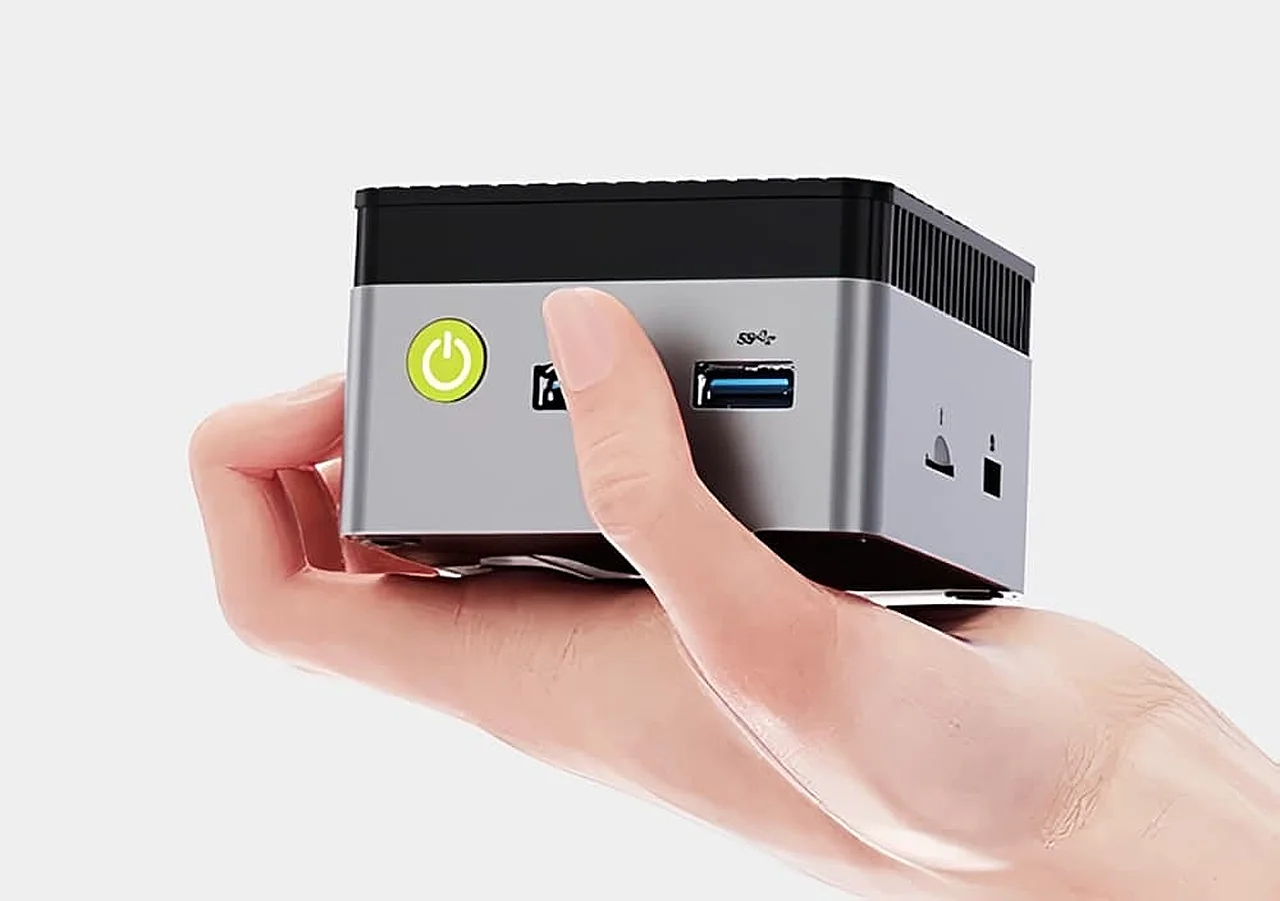
The attraction is easy to understand. A mini PC uses less desk space, consumes relatively little power, and can often be mounted behind a monitor. It also allows you to choose your own display, keyboard, mouse, and speakers.
Small dimensions still involve compromises. Some mini PCs use soldered memory, mobile-class processors, restricted cooling systems, or integrated graphics. Others are sold as barebones kits without memory, storage, or an operating system.
The right model can be an excellent laptop or tower alternative, but only after you understand exactly what is included.
Recommended Mini PCs at a Glance
| Mini PC | Platform | Standout Feature | Recommended For |
|---|---|---|---|
| Apple Mac mini | Apple M4 or M4 Pro | Compact macOS system with strong efficiency | General work and creative applications |
| Beelink SER9 Pro | AMD Ryzen | Capable integrated Radeon graphics | Windows productivity and light gaming |
| ASUS NUC 16 Pro | Intel Core Ultra | Business features and extensive configuration options | Offices, developers, and managed deployments |
| ROG NUC 16 | Intel Core Ultra with NVIDIA graphics | Dedicated laptop-class gaming GPU | Compact gaming and demanding creative work |
What Is a Mini PC?
A mini PC is a compact desktop computer containing a processor, graphics hardware, storage connections, memory, networking, and external ports. It generally uses an external monitor and separate input devices.
Many mini PCs use processors originally designed for laptops. These chips combine strong performance with lower power consumption and heat output than traditional high-wattage desktop components.
Mini PCs range from inexpensive systems intended for basic tasks to premium gaming machines with dedicated graphics. The category also includes barebones kits that require the buyer to install memory, storage, and an operating system.
Why Buy a Mini PC?
It saves desk space
A mini PC can sit beneath a monitor, attach to a VESA mount, or remain hidden behind other equipment. This is valuable in small apartments, reception areas, shared workspaces, shops, classrooms, and home offices.
You can choose your own display
Unlike a laptop or all-in-one computer, a mini PC does not tie the processor to one screen. You can select an affordable office monitor, high-refresh gaming display, color-accurate creative panel, or television.
It can be easier to repair or upgrade than a laptop
Some models allow the owner to replace memory, add a second SSD, or upgrade wireless hardware. Access varies widely, so this benefit must be confirmed for the specific model.
Lower power consumption
Mini PCs typically consume less electricity than large gaming or workstation towers. This makes them attractive for equipment that remains active for long periods, including media centers, small servers, and office terminals.
Useful for specialized projects
A compact PC can operate as a home server, network-management machine, digital-signage controller, point-of-sale system, laboratory computer, or living-room media device.
Recommended Mini PCs
Apple Mac mini: A Compact Mac for Work and Creativity
The current Apple Mac mini is available with the M4 or M4 Pro chip. Its enclosure measures approximately five inches by five inches and weighs around 1.5 pounds in the standard configuration.
The front provides two USB-C connections and a headphone jack. The rear includes HDMI, Ethernet, three Thunderbolt connections, and power. M4 models use Thunderbolt 4, while M4 Pro configurations provide Thunderbolt 5.
Apple states that the Mac mini can drive up to three displays, although supported resolutions and combinations depend on the selected chip.
The standard M4 is suitable for office applications, web development, media, photography, and general creative work. M4 Pro configurations provide additional processor, graphics, memory, and connectivity capabilities for more demanding projects.
The primary limitations are upgradeability and platform choice. Memory and internal storage cannot be upgraded like conventional desktop components after purchase, so the configuration should be selected carefully. Buyers must also confirm that their required applications support macOS and Apple silicon.
Recommended for: Apple users, developers, students, office workers, photographers, musicians, and creators who already own a monitor and accessories.
Beelink SER9 Pro: A Flexible Windows Mini PC
The Beelink SER9 Pro with AMD Ryzen AI 9 HX 370 combines a 12-core, 24-thread processor with integrated Radeon 890M graphics.
Its connections can support as many as three displays through DisplayPort, HDMI, and USB4. The USB4 connection supports high-speed data and compatible display output, while dual M.2 storage slots provide room for additional SSD capacity.
The Radeon 890M integrated graphics are substantially more capable than the basic graphics found in older office mini PCs. They can handle media, creative acceleration, and less-demanding games at sensible settings.
However, integrated graphics still share system memory and cannot match a high-powered desktop graphics card. Memory is also integrated on certain SER9 configurations, so buyers should choose sufficient RAM at purchase.
Recommended for: Windows users wanting strong everyday performance, capable integrated graphics, multiple displays, and compact dimensions.
Lower-cost alternative: Beelink also offers SER9 Pro configurations with the Ryzen 7 H 255 and Radeon 780M graphics. These can provide better value for buyers who do not need the more expensive Ryzen AI processor.
ASUS NUC 16 Pro: Designed for Business and Deployment
The ASUS NUC 16 Pro is available with several Intel Core Ultra processor configurations.
ASUS offers variants intended for professional and enterprise environments, including selected processors with business-management features. Depending on the configuration, buyers can obtain a complete Windows system or a kit that requires additional components.
The NUC format is particularly suitable for organizations deploying several matching computers. Compact dimensions, mounting options, replaceable storage, standardized configurations, wired networking, and multiple display outputs simplify desk installations.
The exact processor, memory arrangement, operating system, ports, and wireless hardware vary between product codes. Buyers should treat the model name as a family rather than assume every NUC 16 Pro has identical specifications.
Recommended for: Business offices, schools, developers, managed IT environments, digital signage, and professional users needing an Intel-based compact computer.
ROG NUC 16: Gaming Power in a Three-Liter System
The ASUS ROG NUC 16 demonstrates how far compact computers can go. It is available with an Intel Core Ultra processor and dedicated NVIDIA GeForce RTX laptop-class graphics, with configurations reaching an RTX 5080 Laptop GPU.
The approximately three-liter enclosure includes a triple-fan cooling system and can be positioned horizontally or vertically. ASUS supports up to 128GB of DDR5 memory and provides two M.2 storage slots, including support for PCIe Gen 5 storage in applicable configurations.
This makes the ROG NUC suitable for modern games, streaming, video editing, 3D work, and GPU-accelerated applications. It also supports several high-resolution displays.
The disadvantages are price, proprietary internal components, and reduced upgrade flexibility compared with a full desktop tower. The graphics processor cannot be replaced like a standard desktop graphics card.
Recommended for: Buyers who need powerful graphics but place a high value on compact size and a ready-made system.
Barebones or Fully Configured?
A fully configured mini PC normally includes memory, an SSD, an operating system, and sometimes a keyboard or mouse. It should be ready for setup after connecting a monitor.
A barebones model may include only the enclosure, motherboard, processor, cooling system, and power adapter. The buyer must install compatible memory and storage before adding an operating system.
Barebones kits can provide greater control and potentially better value, but they require technical confidence. The listed price can appear unusually low because important components are absent.
Before buying, confirm whether the package includes:
- RAM
- Internal SSD storage
- A Windows licence or other operating system
- Wi-Fi and Bluetooth hardware
- Power adapter
- VESA mounting hardware
How Much RAM Does a Mini PC Need?
For basic browsing, email, and document work, 8GB may function, but 16GB provides a more comfortable starting point for a new computer.
Choose 32GB for heavier multitasking, software development, large spreadsheets, virtual machines, photo editing, or creative applications. Video editors, engineers, researchers, and local-AI users may need 64GB or more.
Check whether the memory is socketed or soldered. Soldered memory cannot be expanded after purchase. If the model uses replaceable SO-DIMM modules, confirm the maximum capacity and supported memory generation.
Storage and Upgradeability
A 512GB SSD is adequate for office applications and cloud-based workflows. A 1TB drive provides more practical room for photos, games, video projects, and offline files.
Some mini PCs provide two M.2 slots, allowing a second SSD to be installed. Others contain only one slot, meaning the original drive must be replaced to increase capacity.
Look beyond the phrase “upgradeable storage.” Check the supported drive size, PCIe generation, maximum tested capacity, heat-sink clearance, and whether opening the system affects the warranty.
Integrated Graphics or Dedicated Graphics?
Integrated graphics are built into the processor and share system memory. Modern integrated GPUs can handle high-resolution video, several monitors, photo editing, casual gaming, and older games.
Dedicated graphics contain separate video memory and provide substantially greater performance for demanding games, 3D rendering, video effects, and GPU computing.
For office work and media consumption, dedicated graphics are unnecessary. For serious gaming or advanced creative workloads, choose a mini PC such as the ROG NUC or consider a conventional desktop tower.
Ports and Connectivity
A good mini PC should provide enough connections without immediately requiring a dock. Useful ports include:
- HDMI or DisplayPort for monitors
- USB-C or USB4 for displays, storage, and docks
- Several USB-A ports for existing accessories
- Gigabit or 2.5Gb Ethernet
- Headphone and microphone connections
- Wi-Fi 6E or Wi-Fi 7
- Bluetooth for keyboards, mice, and headphones
Confirm the maximum number of displays and supported resolution. The presence of three video-capable ports does not always guarantee that all three can operate simultaneously at their maximum specifications.
Cooling and Noise
Mini PCs use small cooling systems. Under sustained workloads, their fans may become more noticeable than those in a large, well-ventilated desktop.
A processor can also reduce its speed when thermal or power limits are reached. Short benchmark results do not always reflect performance during an hour-long video export or extended gaming session.
Keep ventilation openings clear and avoid hiding the computer inside a sealed cabinet. Dust buildup can also reduce cooling performance over time.
Can a Mini PC Function as a Home Server?
Yes. Mini PCs are popular for media servers, home automation, development laboratories, network services, backups, and lightweight virtualization.
For server use, prioritize low idle power consumption, Ethernet speed, storage expansion, Linux compatibility, memory capacity, and reliable cooling. A gaming-focused mini PC is usually unnecessary.
Remember that a mini PC does not automatically provide the drive redundancy or hot-swappable storage bays found in a dedicated NAS device.
Frequently Asked Questions
Can a mini PC replace a normal desktop?
Yes, for office work, browsing, media, development, and many creative applications. Upgrade-heavy users and serious gamers may still benefit from a full tower.
Is a mini PC cheaper than a laptop?
Sometimes, but compare the complete setup. A mini PC requires a monitor, keyboard, mouse, and possibly a webcam, speakers, and operating-system licence.
Can a mini PC be upgraded?
Many allow storage upgrades, and some support replaceable memory. The processor and graphics hardware are usually not replaceable.
Are mini PCs good for gaming?
Models with modern integrated graphics can handle casual and less-demanding games. Current AAA games at high settings generally require a mini PC with dedicated graphics.
Final Recommendation
The Apple Mac mini is the strongest all-round option for buyers who prefer macOS and can choose sufficient memory and storage at purchase. The Beelink SER9 Pro offers a flexible Windows alternative with capable integrated graphics.
The ASUS NUC 16 Pro is particularly appropriate for business deployments and users wanting an Intel platform. The ROG NUC 16 is the premium choice for gaming and demanding creative work where compact size matters more than conventional desktop upgradeability.
Before ordering, calculate the total cost of the computer, memory, storage, operating system, monitor, and accessories. A mini PC can provide excellent value, but only when the attractive starting price includes everything you actually need.